Trying to Run Bloodborne on Arch Linux
I’ve wanted to play Bloodborne on PC for years.
Despite being one of FromSoftware’s most beloved games, Bloodborne remains a PlayStation exclusive. I’ve spent countless hours playing the Souls games, so naturally, the idea of experiencing Bloodborne on my Arch Linux machine has always been appealing.
Recently, a friend offered to lend me his physical copy of Bloodborne. Since I already had access to a PS4, I figured this was the perfect opportunity to experiment with shadPS4, an open-source PlayStation 4 emulator.
The plan sounded simple enough: jailbreak the console, dump the game files onto an external drive, transfer everything to Arch Linux, and see whether my laptop could run it.
Unsurprisingly, things turned out to be a little more complicated.
Jailbreaking the PS4
The first step was getting access to the PS4’s underlying system.
My console was running firmware 10.01, and I used the available exploit environment to load GoldHEN, a homebrew enabler that provides access to functionality normally unavailable on a retail PlayStation.
After navigating through the exploit process, I was greeted with a rather satisfying notification:
GoldHEN v2.4b18.12 loaded!
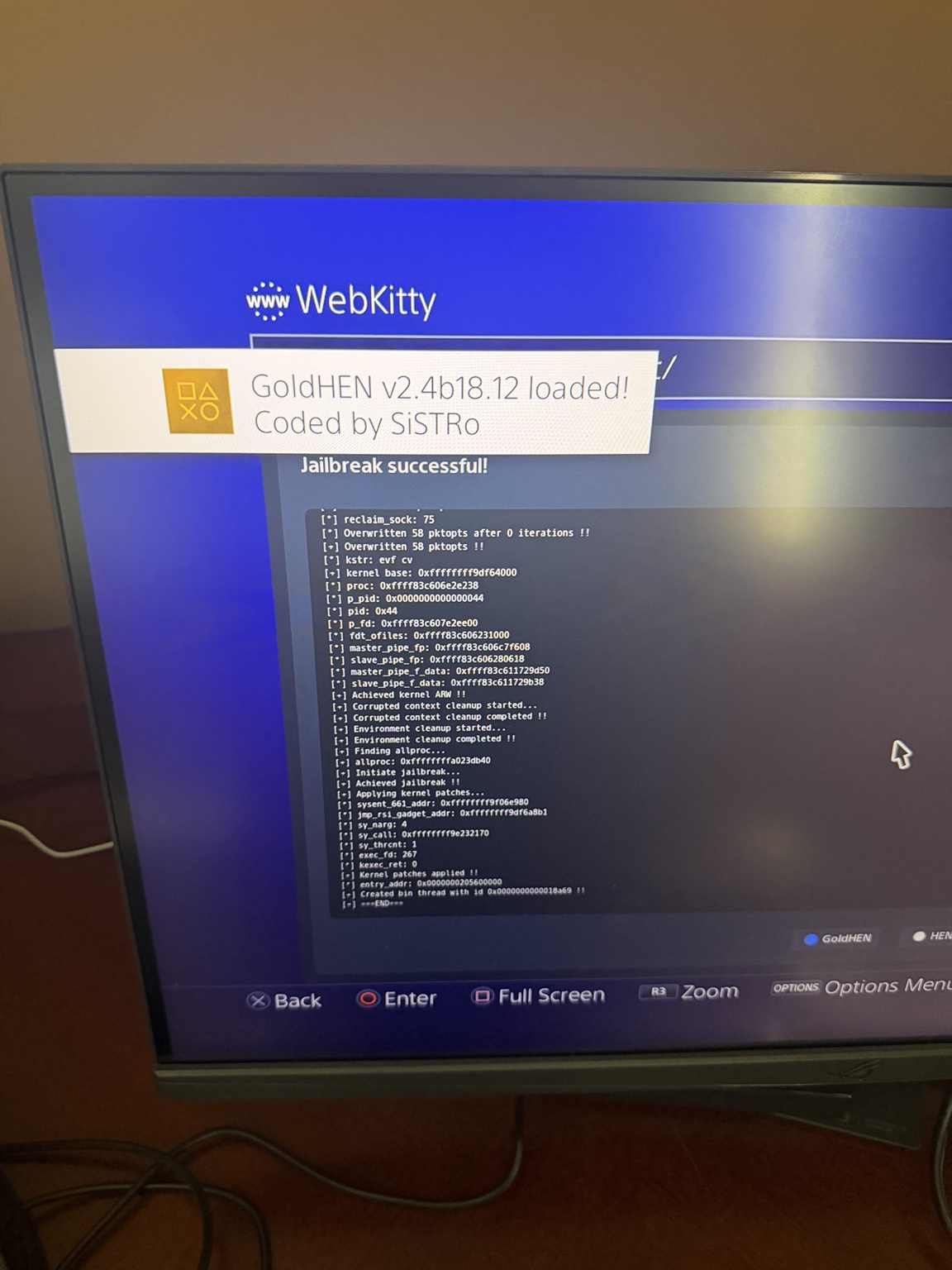
This opened up a completely different side of the console.
Instead of treating the PS4 as a device that simply launches games, I could now explore its filesystem, run homebrew applications, and interact with it over the network.
Coming from Linux, that was easily one of the most interesting parts of the experiment.
Exploring the Filesystem
One of the first homebrew applications I tried was PS4-Xplorer 2.0, a file manager that allows browsing the PS4’s directories.
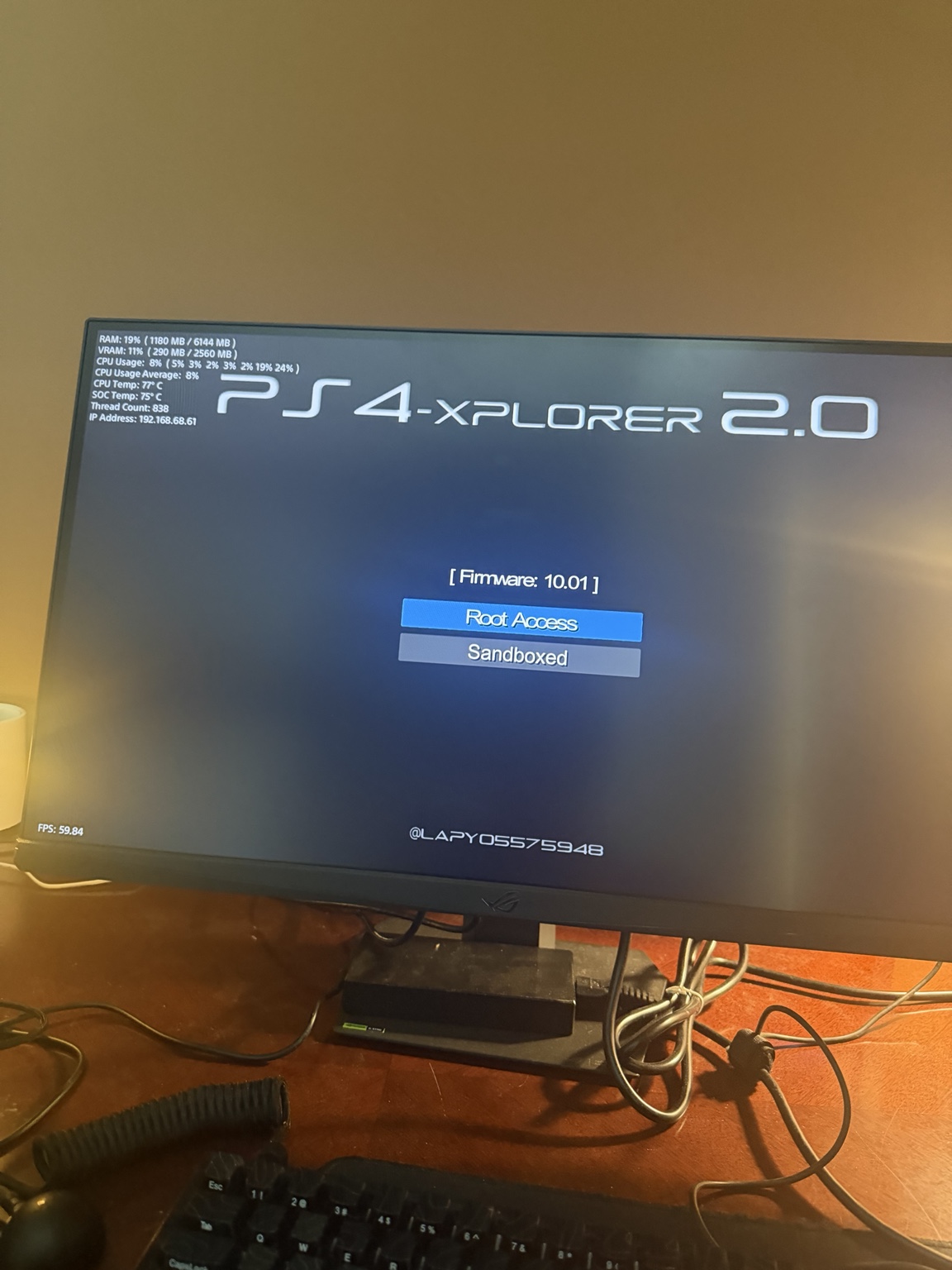
Browsing the filesystem revealed familiar-looking directories:
/
├── app_tmp/
├── data/
├── dev/
├── hdd/
├── host/
├── hostapp/
└── mnt/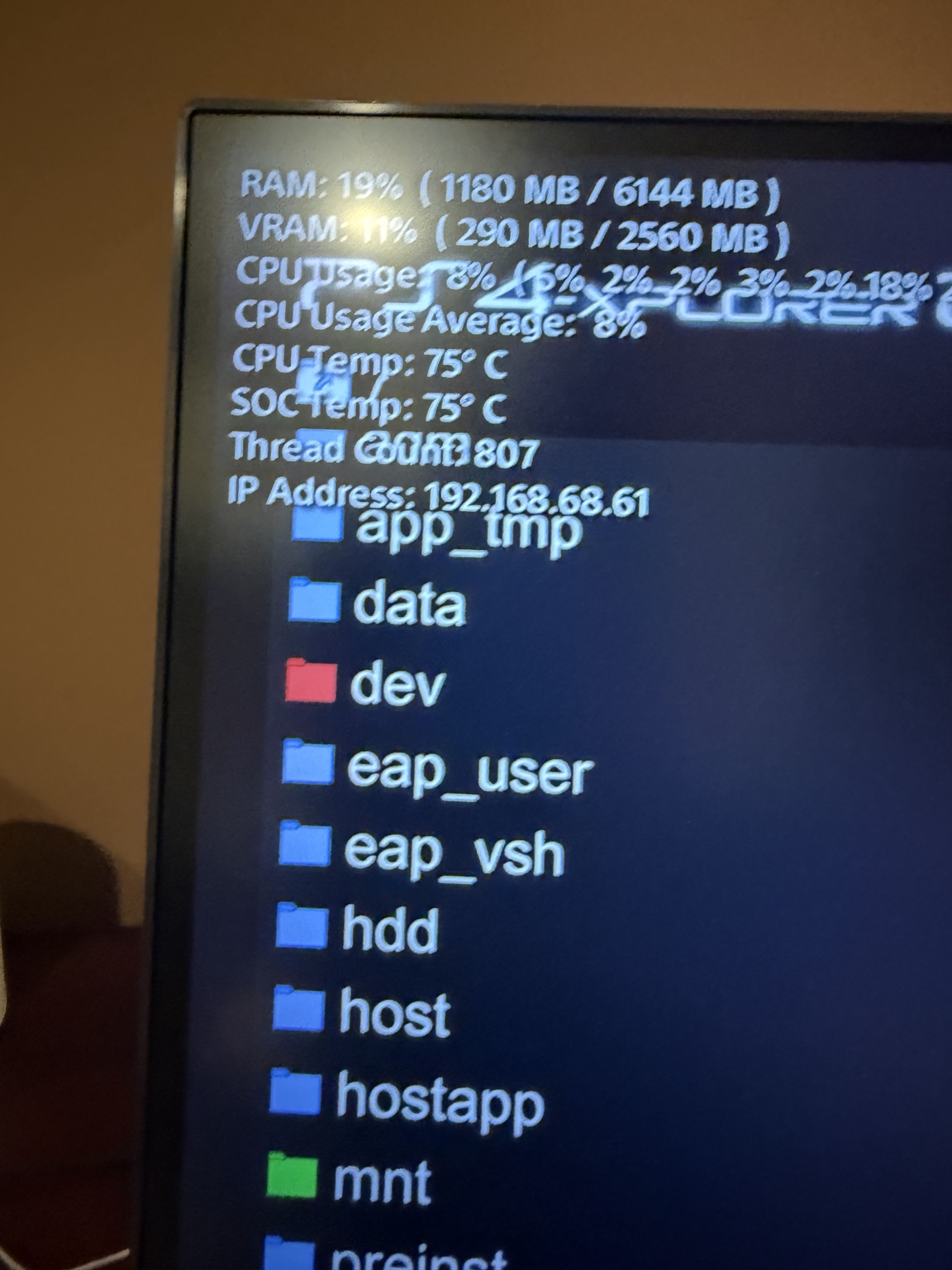
Seeing directories like /dev and /mnt immediately reminded me of Linux.
That resemblance isn’t entirely coincidental. The PS4’s operating system, Orbis OS, is derived from FreeBSD, a Unix-like operating system.
Of course, that doesn’t mean the PS4 is simply running a conventional FreeBSD installation. Sony’s system contains substantial proprietary modifications, particularly around security, graphics, and game execution.
Still, it was interesting to recognize familiar filesystem conventions on a gaming console.
It also made me appreciate just how much of the computing world shares ideas inherited from Unix.
Dumping Games with Itemzflow
Next, I needed to extract the game files.
For this, I used Itemzflow, a homebrew game manager with functionality for dumping installed PS4 games to external storage.
I prepared an external USB drive formatted as exFAT, giving the console a place to write the extracted files.
Before trying Bloodborne, I experimented with another game I had available: Star Wars Battlefront.
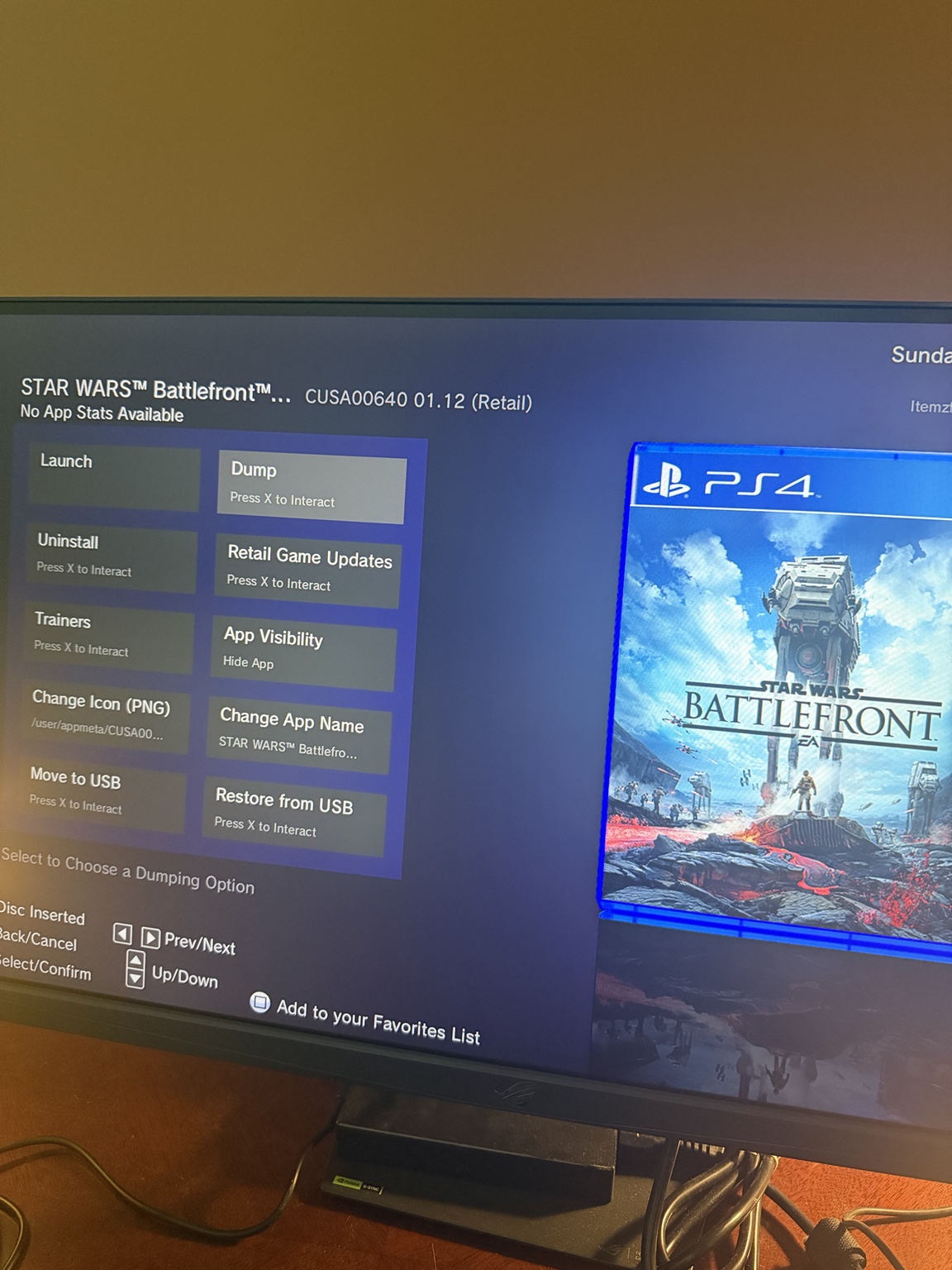
The game was identified as CUSA00640, with its own directory of extracted data.
One particularly interesting file was eboot.bin, the game’s executable.
After moving the extracted files onto Arch Linux, I inspected the executable with:
file eboot.binThe output identified it as an x86-64 ELF executable associated with FreeBSD.
That was a neat discovery.
The PS4 uses an x86-64 processor, just like my laptop. However, sharing the same processor architecture doesn’t mean that software built for one platform will automatically run on another.
Operating systems provide different system calls, libraries, executable-loading behavior, and runtime interfaces.
In other words, having an x86-64 executable isn’t enough to make it a Linux program.
That’s part of what makes projects like shadPS4 so interesting: they have to bridge those platform differences, rather than merely execute the same machine instructions.
Connecting to the PS4 from Arch Linux
I also wanted to explore the console over the network.
With GoldHEN’s FTP server available, I connected to the PS4 from Arch Linux using FileZilla.
The connection used the PS4’s local IP address and port 2121.
Host: <PS4 local IP address>
Port: 2121
Protocol: FTP
Once connected, I could browse files on the console from my computer.
FTP was a concept I knew about but hadn’t spent much time using directly. This was a useful opportunity to see a simple client-server arrangement in practice.
The PS4 was acting as an FTP server, listening for connections on the local network. My Linux machine acted as the client, sending requests and receiving directory listings and file data.
It was a small exercise, but given my growing interest in networking and systems programming, I found it surprisingly enjoyable.
Finally, Bloodborne
With the initial exploration out of the way, it was time to dump the game that started all of this.
Itemzflow identified my copy of Bloodborne as:
Title: Bloodborne
Title ID: CUSA00900
Installed Version: 1.09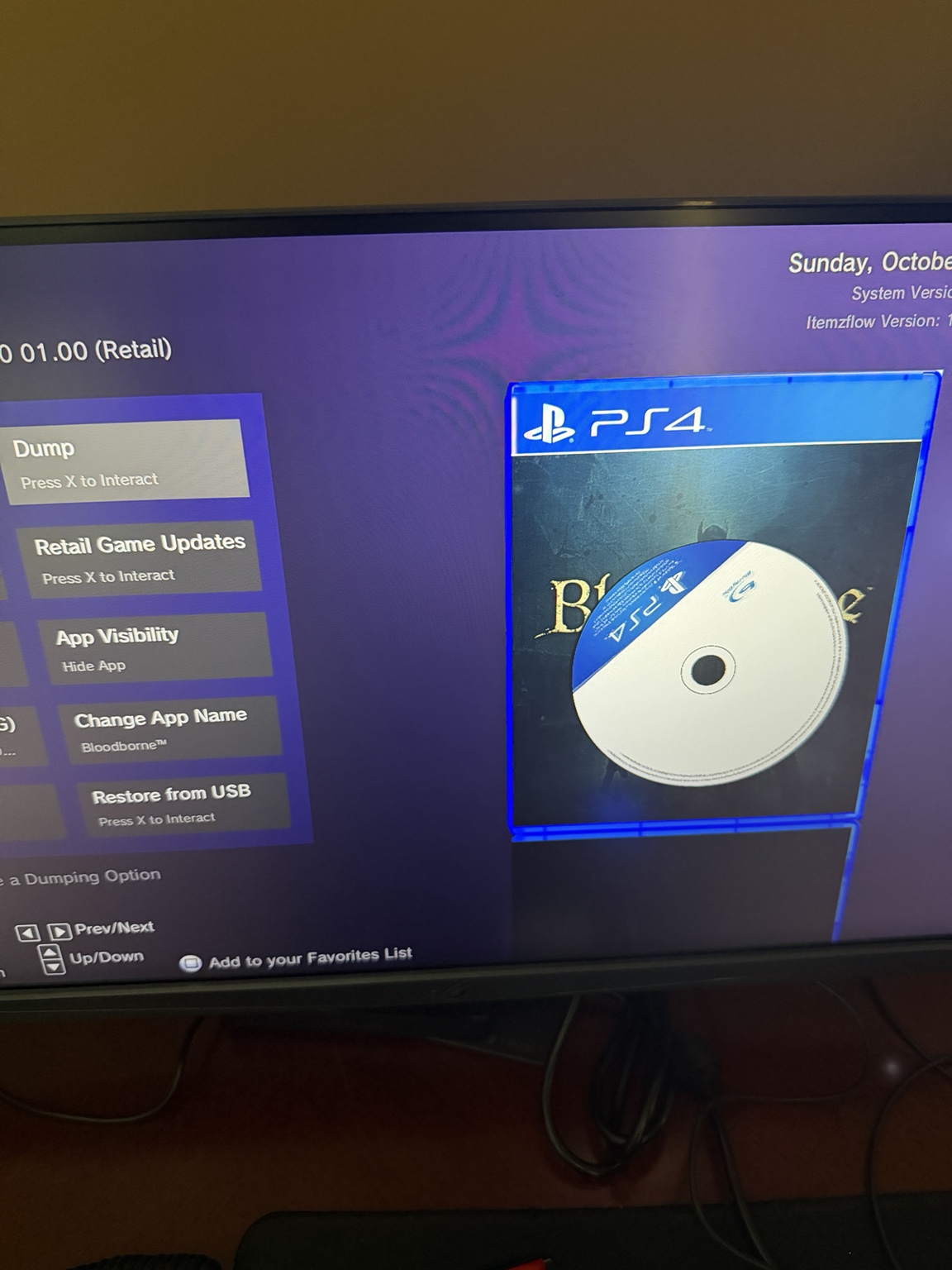
I started extracting the base game onto the USB drive.
The destination looked something like this:
/mnt/usb0/CUSA00900/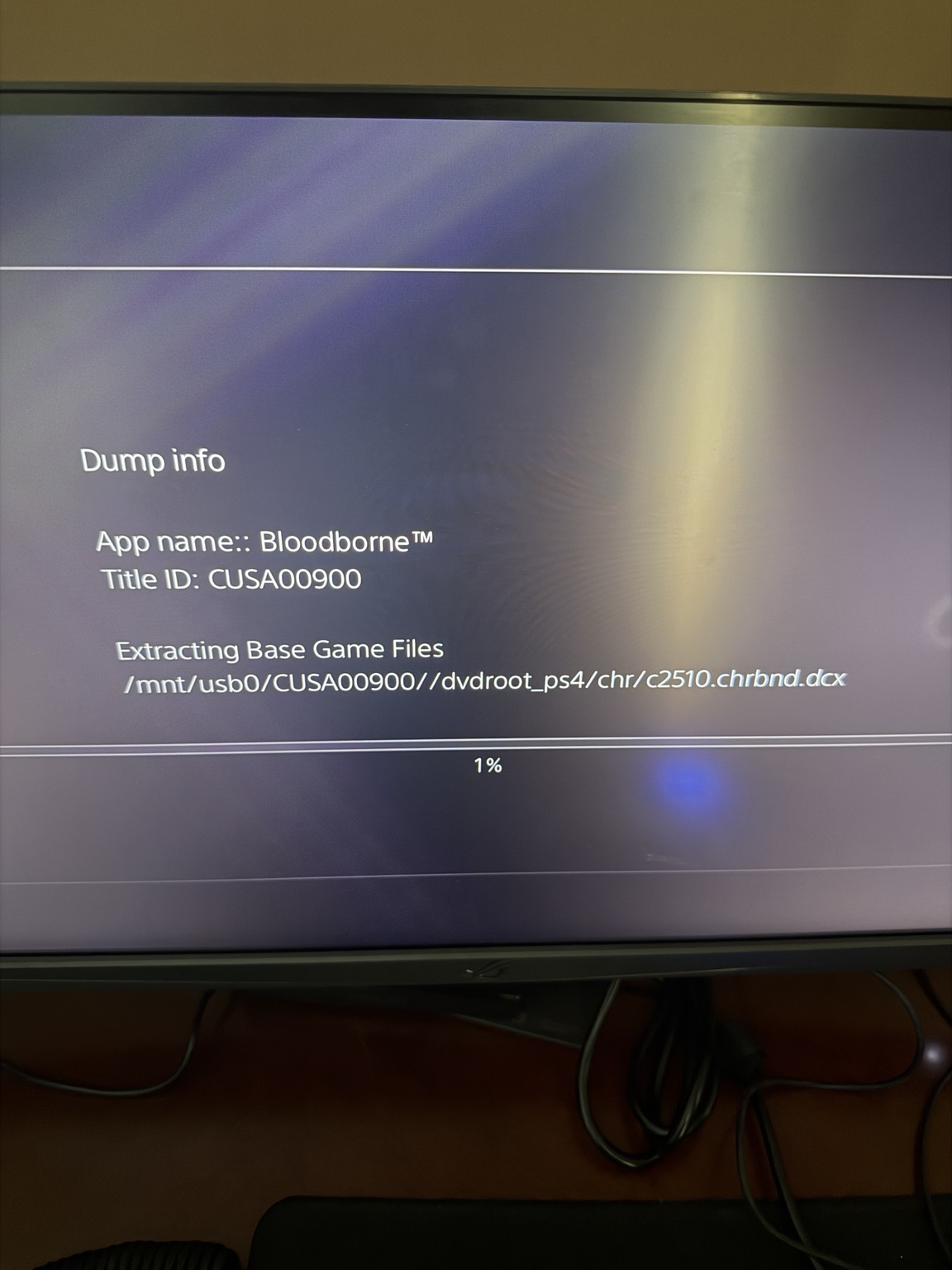
Once the dump was on my external drive, I returned to Arch Linux.
The drive was mounted under:
/run/media/l1ch/BLOODBORNE/It was satisfying to see the files accessible through an ordinary Linux directory after spending so much time navigating the console itself.
There were some additional complications involving game versions. My copy was updated to version 1.09, while some of the Bloodborne reverse-engineering work I’d been reading about concerned specific executable builds.
That distinction matters because emulator compatibility and reverse-engineering projects may depend on the precise game version being studied.
The shadPS4 Attempt
Eventually, I reached the point where I could investigate running Bloodborne through shadPS4.
Unfortunately, my hardware wasn’t particularly cooperative.
My laptop has an NVIDIA RTX 3050 with 4 GB of VRAM, which isn’t exactly ideal for an experimental PS4 emulator running a demanding game like Bloodborne.
After experimenting with shadPS4, it became clear that playing the game comfortably on my current system wasn’t realistic.
So the original goal of playing Bloodborne on Arch Linux remained unfulfilled.
A little disappointing, considering that was the entire reason I began the experiment.
Still, I had already spent the day exploring console filesystems, executable formats, storage devices, networking, and emulation. I couldn’t exactly call it a waste of time.
And besides, I still had the PS4 itself.
An Unexpected Ending
Before calling it a day, I continued exploring the available homebrew applications.
Somewhere along the way, I came across a Mandelbrot set visualization through an unofficial homebrew store.
Out of curiosity, I tried running it.
And, unlike Bloodborne on my laptop, it actually worked.
So after an entire day of jailbreaking a console, dumping games, inspecting executables, transferring files, and attempting PS4 emulation on Linux, my final achievement was getting a fractal visualization running on a PlayStation 4.
Not quite the outcome I expected.
But seeing the Mandelbrot set reminded me of another subject I’ve been wanting to explore more seriously: computer graphics.
I’ve recently been experimenting with Vulkan, and fractal rendering seems like an interesting way to combine graphics programming with mathematics.
Perhaps that’ll be the subject of my next post.
Until then, Bloodborne will have to stay on the PS4.
Fear the old blood!